Showing posts with label Avid Tips. Show all posts

April 26, 2014

Fix Timecode Filter DNxHD Bug in Compressor with Text Track

Compressor and the Avid DNxHD codec do not play nicely together when a Timecode Generator or Text Overlay filter is applied. It will result in a compressed video with a frozen image that fades to black.

This happens no matter what codec you are encoding to. If your source is DNxHD and you apply a TC Generator or Text Overlay you will see this bug.

Fortunately I've discovered a simple trick to get this working. For whatever reason, if your DNxHD QuickTime movie has an embedded text track it will successfully compress the movie, even with the Timecode or Text filters enabled. You don't need to have any text in the text track, it can be blank, as long as it's embedded in your DNxHD movie file before you bring it in to Compressor it will work.

So, I've created a Automator droplet that automatically adds an empty text track to any QuickTime movie file that is dropped on to it. All that's required is to have QuickTime Pro player. (Be sure it's Pro because the Automator uses the copy and paste functions of the Pro player to add the empty text track.)

Thanks to Avid forum user slebog for the Apple script this droplet is based on. More info here: http://community.avid.com/forums/p/94827/596090.aspx#596090


Download the Automator droplet HERE


  1. Export a Same as Source or Reference Quicktime out of Avid
  2. In the Finder, drag that .mov file on to the "dnxhd text track" droplet. 
  3. It will open your movie in QuickTime Player 7 and copy and paste an empty Text Track in to the movie. This will happen pretty quickly but be sure not to click the screen or press any keys because it will disrupt the process. It will close the QuickTime movie with the process if complete. 
  4. Then just drag your same .mov into Compress, apply the filters, and submit as usual.
Let me know in the comments if this is helpful or if there are any issues with the process. It has been working great for me and saves a ton of time!


May 29, 2012

Faster Avid Outputs with Timecode Burn-In


Exporting QuickTimes out of Avid can take a long time, especially if you have timecode burn-in across the picture. But if you offload the burn-ins and encoding to other apps you can get it done in a fraction of the time. And with most of the encoding taking place outside of Avid you can keep working while it crunches in the background. Here’s how.

September 12, 2011

Avid Export Crashes (sometimes...)

There seems to be a bug in Avid when it comes to exporting QuickTimes that causes the application to randomly crash.

I’ve see this a lot when exporting all kinds of QuickTimes, Same as Source, h.264, etc. At some point during the export, the progress bar will stop advancing and the spinning black and white cursor will freeze. (Sometimes the cursor is a ⌘ that stops blinking.) That’s when you know you have a problem.

Soon the frozen cursor will change to the usual “spinning multi- color beach ball of death” and you have to Force Quit and relaunch Avid.


September 4, 2011

Avid Locators


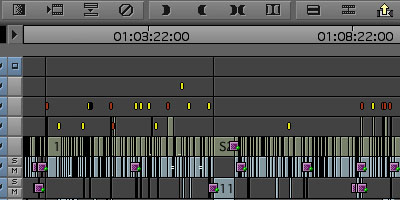
Locators in Avid are a very useful to Editors and Assistants for marking adr or vfx, etc. on the timeline. Unfortunately this feature has some shortcomings that make working with them a bit frustrating. Here’s a tip on how to work around some of the limitations.


Locators live on clips (or filler) and stay attached as the clips move. Once a locator is placed on a clip it is possible to move the locator by Option-dragging the locator in the Composer window. Unfortunately this doesn't give you very precise placement control, moving in increments of a few seconds and making it impossible to place the locator exactly where you need it (say, at the head of a clip). There is also no way to move a locator to another track.


These limitations may sound trivial, but in certain situations, like if you have an editor who is constantly placing locators all over the timeline on different tracks (ahem!), this tip can help you clean it up and save some time at turnover.